In the fast-paced world of web development, staying ahead means having access to the right tools and resources. As we step into 2026, web designers and developers face more choices than ever—from design frameworks and UI kits to cutting-edge prototyping tools. Navigating this landscape can feel overwhelming, but with the right guidance, you can streamline your workflow and create stunning, user-friendly websites.
This ultimate guide brings together the most trusted and innovative web design resources for 2026. Whether you’re a seasoned designer or just starting out, you’ll discover tools for everything: responsive design, typography, color palettes, stock graphics, and more. Each resource is handpicked for its reliability, ease of use, and ability to help you bring creative visions to life efficiently.
By leveraging these resources, you’ll not only save time but also elevate your web projects to professional standards. From enhancing your workflow to boosting website performance, this guide ensures you’re equipped with everything needed to excel in modern web design. Embrace the future of web design with tools that inspire creativity, improve usability, and keep your projects ahead of the curve in 2026.
Key Takeaways
- Discover the best web design resources for creating modern websites in 2026.
- Explore AI-powered web design tools that speed up the design process.
- Find top websites for UI/UX inspiration and creative layouts.
- Learn where to get high-quality fonts, icons, and illustrations.
- Build consistent designs using professional color palette generators.
- Improve collaboration with modern prototyping and wireframing tools.
- Choose the right resources to create responsive, SEO-friendly, and high-converting websites.
1. Top Web Design Tools to Boost Your Productivity
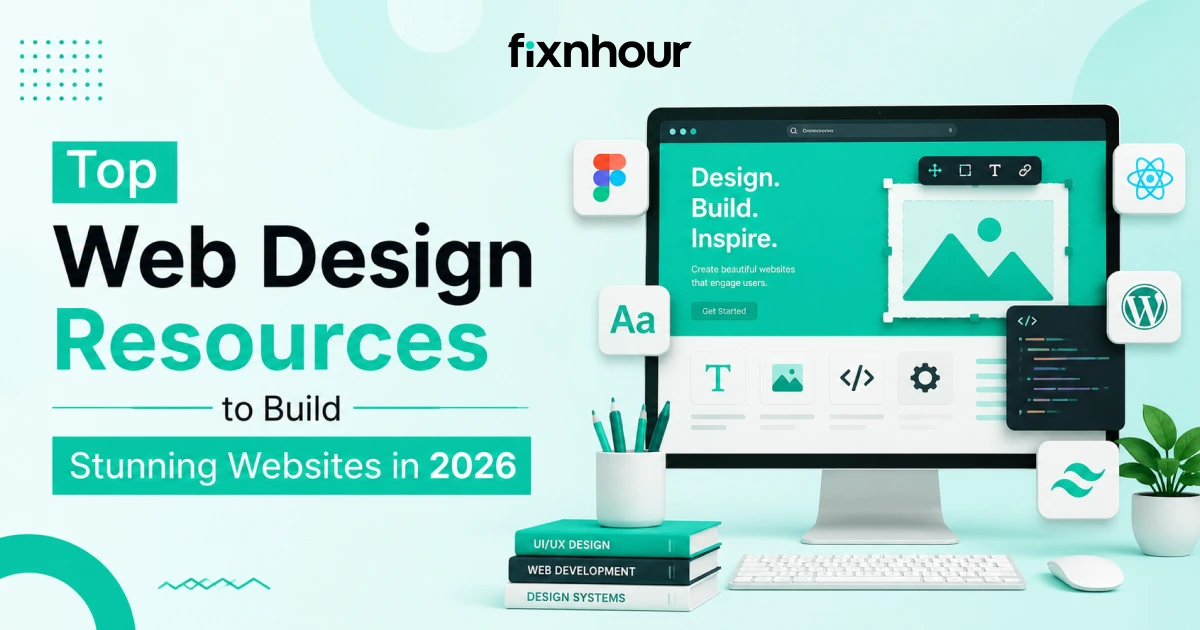
Unlock your creativity with the top web design tools that boost productivity in 2026. From intuitive UI builders to advanced prototyping software, these resources help designers work smarter, save time, and craft visually stunning websites effortlessly. Design & Prototyping Tools: Figma, Adobe XD, and Sketch remain essentials for wireframing and visual design.
-
Coding & Development Tools: VS Code, Webflow, and CodePen help streamline front-end development.
-
Collaboration Tools: Slack, Notion, and Trello make team collaboration seamless, even remotely.
2. Must-Follow Web Design Blogs
Stay inspired and updated with must-follow web design blogs in 2026. From the latest trends to expert tips, these blogs provide valuable insights, tutorials, and creative ideas that help designers elevate their skills and build exceptional websites.
-
UI/UX Trends: Smashing Magazine, UX Collective
-
Responsive & Mobile Design: CSS-Tricks, Codrops
-
Performance & Accessibility: Web.dev, A List Apart
3. Best Newsletters for Web Designers
Stay ahead of the curve with the best newsletters for web designers. Discover the latest web design trends, expert tips, and industry insights delivered straight to your inbox, helping you create modern, innovative, and user-friendly websites effortlessly.
-
Weekly UI/UX Inspiration: Sidebar.io, UX Design Weekly
-
Web Development Updates: WebOps Weekly, Frontend Focus
-
Industry Trends: Web Designer News, Designer Hangout Digest
4. Web Design Communities & Forums
Join the top web design communities and forums to connect with like-minded designers. Share ideas, get feedback, and stay updated on the latest UI/UX design trends, perfect for learning, networking, and improving your web design skills in 2026.
-
Reddit: r/web_design, r/UI_Design
-
Slack & Discord Groups: Designer Hangout, Product Design Community
-
Online Feedback Platforms: Dribbble, Behance critiques
5. Free & Paid Learning Platforms
Level up your web design skills with the best free and paid learning platforms in 2026. From interactive courses to in-depth tutorials, these resources cover UI/UX, coding, and design trends. Whether you’re a beginner or an experienced designer, these platforms help you stay updated, sharpen your skills, and create stunning, user-friendly websites effortlessly.
-
Beginners: freeCodeCamp, Udemy, Coursera
-
Advanced Skills: Interaction Design Foundation, LinkedIn Learning
-
Certifications: Google UX Design Certificate, Nielsen Norman Group
6. UI/UX Inspiration Galleries
Explore top UI/UX inspiration galleries to spark creativity and innovation in 2026. These curated collections showcase the best designs from leading web design companies, helping designers visualize trends, experiment with layouts, and craft engaging, user-friendly websites that stand out in a competitive digital landscape.
-
Dribbble & Behance: Discover cutting-edge UI/UX designs
-
Site Showcase Platforms: Awwwards, CSS Design Awards
-
Case Studies: Learn design thinking from top designers
7. Essential Web Design Plugins & Extensions
Boost your web design workflow with essential plugins and extensions in 2026. From productivity boosters to design enhancers, these tools simplify coding, prototyping, and UI/UX tasks. Fixnhour recommends these must-have resources to help designers create stunning, efficient, and user-friendly websites faster than ever.
-
Chrome Extensions: WhatFont, ColorZilla, Page Ruler
-
VS Code Extensions: Prettier, Live Server, Emmet
-
Prototyping Plugins: Stark (Accessibility), Motion (Animations)
8. Free Resources Every Designer Should Know
Discover the top free resources every web designer should know in 2026. From fonts and icons to templates and UI kits, these tools help you save time and enhance creativity. Perfect for beginners and seasoned designers alike, these resources make building beautiful, functional, and modern websites easier and more enjoyable than ever.
-
Icons & Illustrations: FontAwesome, Feather Icons, unDraw
-
Fonts & Typography: Google Fonts, FontPair
-
Templates & Snippets: Free HTML/CSS templates, CodePen snippets
9. Paid Resources Worth Investing In
Invest in paid web design resources that truly make a difference in 2026. From premium UI kits to advanced prototyping tools, these resources help designers create polished, professional websites. Perfect for small business websites, they save time, enhance creativity, and ensure your projects look modern, functional, and visually stunning.
-
Premium Design Tools: Adobe Creative Cloud, Webflow Enterprise
-
Stock Media: Shutterstock, Envato Elements
-
Advanced Learning: Masterclass for Design, paid workshops
10. Tips for Choosing the Right Resources in 2026
Choosing the right web design resources in 2026 can make or break your projects. Focus on tools that match your workflow, offer up-to-date features, and support modern UI/UX trends. Prioritize quality over quantity, test resources before committing, and leverage community feedback to ensure you select tools that boost creativity, efficiency, and website performance.
-
Balance Free vs Paid: Use free tools for practice and paid ones for professional output.
-
Evaluate Credibility: Check reviews, case studies, and community feedback.
-
Stay Updated: Subscribe to newsletters and follow trend blogs.
Final Thoughts
By leveraging the best web design resources in 2026, you can create stunning, user-friendly websites and stay ahead of the curve. From essential tools and inspirational galleries to blogs, newsletters, and learning platforms, these resources empower you to grow as a UI/UX designer or web developer. Bookmark this guide, subscribe to newsletters, and start experimenting with these tools today to elevate your web design game in 2026.
Ready to elevate your web design projects? Contact us today to get expert guidance, top resources, and stunning results!
Frequently Asked Questions (FAQs)
Q1. What are the must-have web design tools in 2026?
Ans. The essential web design tools in 2026 include Figma, Adobe XD, Sketch, VS Code, and Webflow. These tools help designers create stunning UI/UX designs, prototypes, and seamless front-end development workflows.
Q2. Which blogs should I follow for web design trends?
Ans. Some of the top web design blogs are Smashing Magazine, CSS-Tricks, UX Collective, and Web.dev. They provide insights on UI/UX trends, responsive design, and accessibility updates.
Q3. Are there newsletters that keep me updated on web design?
Ans. Yes! Newsletters like Sidebar.io, UX Design Weekly, Web Designer News, and Frontend Focus are perfect for staying updated with UI/UX inspiration, industry trends, and web development updates.
Q4. What are the best online communities for web designers?
Ans. Designers can learn and collaborate in Reddit (r/web_design), Designer Hangouts (Slack), Discord design communities, and Dribbble forums. These communities offer feedback, networking, and idea sharing.
Q5. Which platforms offer free web design learning resources?
Ans. Free platforms like freeCodeCamp, Coursera free courses, and CodePen tutorials help beginners and intermediate designers improve web design, coding, and UI/UX skills.
Q6. What are the top UI/UX inspiration galleries in 2026?
Ans. Dribbble, Behance, Awwwards, and CSS Design Awards showcase trending web design projects, animations, and innovative layouts, helping designers stay inspired.
Q7. Are there must-have plugins for web design productivity?
Ans. Yes! Plugins like Stark for accessibility, Motion for animations, VS Code extensions (Prettier, Live Server), and Chrome extensions (ColorZilla, WhatFont) enhance workflow efficiency.
Q8. Should I use free or paid resources for web design?
Ans. A balance works best. Use free resources for practice and experimentation (icons, fonts, templates), and paid tools like Adobe Creative Cloud, Webflow Enterprise, and Envato Elements for professional-quality work.
Q9. How do I choose the right web design resources in 2026?
Ans. Evaluate based on credibility, user reviews, and relevance to your workflow. Subscribe to newsletters, follow trend blogs, and explore learning platforms to stay updated efficiently.
Q10. What trends should I watch for in web design this year?
Ans. In 2026, focus on AI-assisted design tools, mobile-first responsive design, motion UI, accessibility improvements, and minimalistic interfaces. Using the right resources ensures your designs remain modern and user-friendly.