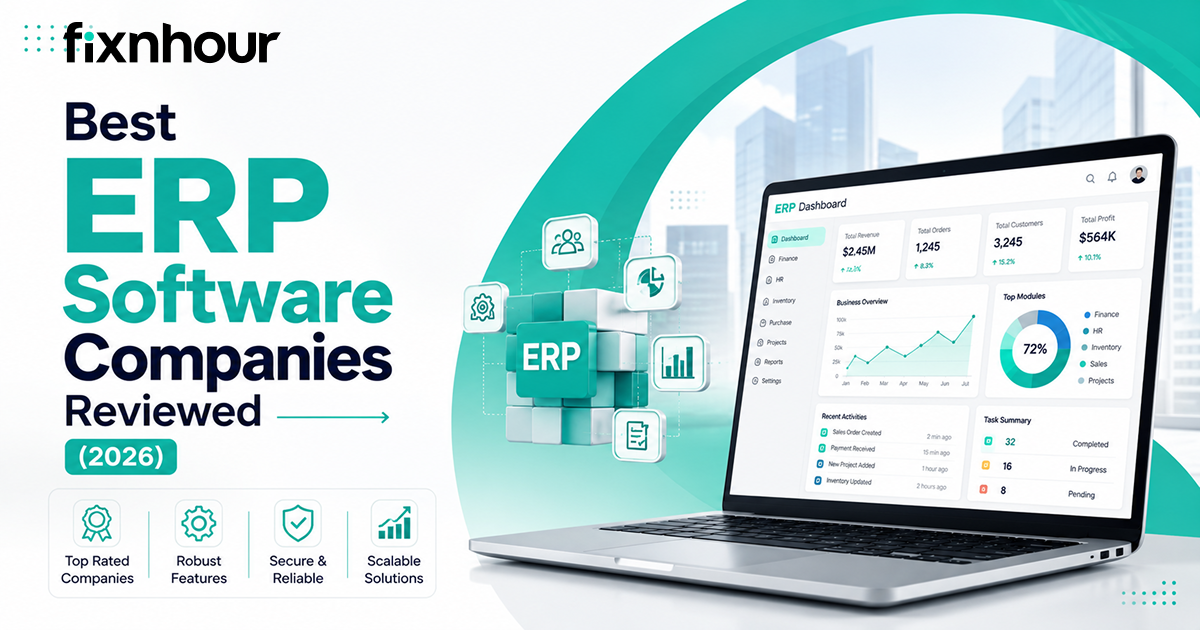
Choosing the right ERP software company is more than a technology decision it directly influences how your finance, inventory, procurement, sales, manufacturing, project management, and reporting processes work together. A well-matched ERP platform can replace disconnected tools and spreadsheets with centralized data, automated workflows, and clearer operational visibility.
This guide reviews ten leading ERP software companies in 2026, comparing their features, strengths, limitations, pricing, and industry suitability. The best provider is not always the largest or most expensive. It is the one that fits your business requirements, existing workflows, growth plans, budget, and ability to implement and manage the system successfully.
Quick Answer
The best ERP software depends on business size, industry, budget, and operational complexity. SAP and Oracle suit global enterprises, while Microsoft Dynamics 365 supports businesses using the Microsoft ecosystem. NetSuite and Acumatica serve growing mid-market companies, whereas Infor, IFS, and Epicor specialize in complex industries. Sage and Odoo are practical options for smaller, finance-focused organizations. Experienced Software Development Companies can also help businesses customize, integrate, and maintain their chosen ERP system.
Key Takeaways
These key takeaways summarize the leading ERP providers, selection criteria, implementation priorities, and cost considerations businesses should understand before investing.
- SAP and Oracle suit complex global enterprises.
- Microsoft Dynamics 365 integrates well with Microsoft tools.
- NetSuite supports growing, multi-entity businesses.
- Infor, IFS, and Epicor provide industry-specific capabilities.
- Acumatica offers flexible cloud ERP for mid-sized companies.
- Sage works well for finance-focused organizations.
- Odoo provides modular ERP tools for smaller businesses.
- ERP costs extend beyond software licences.
- Clean data supports successful ERP implementation.
- Leadership support and training improve adoption.
- Test real business workflows before selecting a platform.
- Compare total value rather than feature quantity.
How We Reviewed the Best ERP Software Companies
We reviewed each ERP software company based on the capabilities businesses rely on most, including financial management, supply chain operations, manufacturing, reporting, automation, integrations, scalability, security, and industry-specific features. We also considered practical factors that can influence long-term success, including pricing, implementation complexity, customization requirements, partner availability, employee training, customer support, ease of use, and total cost of ownership.
No ERP platform is right for every organization. A global manufacturer has different requirements from a professional services firm or growing retailer. Therefore, each review highlights the industries, business sizes, and use cases for which the provider is most suitable. Businesses can also use Fixnhour to discover and compare experienced ERP software providers based on their specific requirements.
10 Best ERP Software Companies in 2026
The best ERP software companies in 2026 help businesses integrate finance, inventory, supply chain, manufacturing, sales, human resources, and analytics in one system. Leading providers such as SAP, Oracle, Microsoft, NetSuite, and Infor offer scalable solutions that improve visibility, automate workflows, support growth, and strengthen data-driven decision-making for growing enterprises.
| ERP Company | Best For | Main Strength |
|---|---|---|
| SAP | Global enterprises | Enterprise scale and process depth |
| Oracle | Large, finance-led organizations | Financial control and advanced analytics |
| Microsoft Dynamics 365 | Microsoft-based businesses | Seamless ecosystem integration |
| NetSuite | Growing multi-entity companies | Unified cloud ERP suite |
| Infor | Industry-focused enterprises | Specialized industry workflows |
| IFS | Asset- and service-intensive businesses | Asset, service, and project management |
| Epicor | Manufacturers and distributors | Production and supply-chain management |
| Acumatica | Mid-sized businesses | Flexible access and customization |
| Sage | Finance-focused growing companies | Accounting and financial reporting |
| Odoo | Startups and small businesses | Affordable modular functionality |
1. SAP
SAP provides enterprise ERP solutions for global businesses managing complex finance, manufacturing, supply chain, procurement, analytics, and compliance operations efficiently.
Key Features:
- Financial management and consolidation
- Supply chain and procurement management
- Manufacturing and production planning
- Enterprise analytics and reporting
2. Oracle
Oracle offers an integrated cloud ERP platform that strengthens financial control, automates business processes, and supports scalable international operations effectively.
Key Features:
- Automated financial management
- Procurement and supplier management
- Project and risk management
- AI-powered business analytics
3. Microsoft Dynamics 365
Microsoft Dynamics 365 connects ERP, analytics, productivity, and automation tools, helping businesses manage operations through one flexible cloud ecosystem efficiently.
Key Features:
- Financial and supply chain management
- Dynamics 365 Business Central
- Power BI business intelligence
- Power Platform workflow automation
4. Oracle NetSuite
Oracle NetSuite unifies finance, inventory, orders, customers, e-commerce, and subsidiaries, helping growing companies manage operations through one cloud platform efficiently.
Key Features:
- Cloud financial management
- Inventory and order management
- Integrated CRM and e-commerce
- Multi-entity and currency consolidation
5. Infor
Infor delivers industry-specific cloud ERP solutions that help manufacturing, distribution, healthcare, hospitality, and public organizations improve operational performance and visibility.
Key Features:
- Financial and manufacturing management
- Supply chain planning
- Warehouse and asset management
- Industry-specific business analytics
6. IFS
IFS Cloud integrates ERP, asset management, field service, manufacturing, and projects for businesses operating complex, service-intensive, asset-heavy environments worldwide successfully.
Key Features:
- Enterprise resource planning
- Enterprise asset management
- Field service management
- Project and manufacturing management
7. Epicor
Epicor provides specialized ERP solutions that help manufacturers and distributors improve production, inventory, warehouses, pricing, orders, and supply chain performance.
Key Features:
- Production planning and management
- Inventory and warehouse control
- Order and pricing management
- Supply chain and distribution management
8. Acumatica
Acumatica offers flexible cloud ERP tools, mobile access, open APIs, dashboards, and usage-based licensing for growing, industry-focused businesses across sectors.
Key Features:
- Financial and distribution management
- Manufacturing and construction management
- Retail and commerce operations
- Project accounting and reporting
9. Sage
Sage provides finance-focused ERP solutions that help growing organizations automate accounting, consolidate entities, manage operations, improve budgeting, and reporting capabilities.
Key Features:
- Cloud accounting and finance
- Financial consolidation
- Budgeting and forecasting
- Manufacturing and supply chain management
10. Odoo
Odoo provides modular business applications that help companies manage accounting, sales, inventory, manufacturing, e-commerce, projects, and employees through one platform.
Key Features:
- Accounting and invoicing
- CRM and sales management
- Inventory and manufacturing management
- E-commerce, projects, and HR management
Benefits of ERP Software
ERP software brings finance, sales, inventory, procurement, and operations into one connected system, giving teams reliable, up-to-date information. It reduces repetitive work, improves collaboration, and helps managers make faster decisions. Experienced ERP Development Companies can customize and integrate these platforms to meet specific business needs. As organizations grow, a scalable ERP system can support new locations, products, channels, and reporting requirements without adding disconnected tools.
- Creates a single, reliable source of business information
- Automates repetitive tasks and approval processes
- Reduces manual data entry and avoidable errors
- Improves collaboration between departments
- Provides real-time reporting and business insights
- Strengthens inventory and supply chain visibility
- Supports new locations, subsidiaries, and sales channels
- Improves financial planning, budgeting, and forecasting
- Enables secure mobile access for employees
Common ERP Challenges
ERP projects can become difficult when businesses overlook process improvement, data preparation, realistic planning, employee involvement, and ongoing support. Common problems include inaccurate data, excessive customization, rushed timelines, weak training, integration gaps, and unexpected cloud costs. Experienced Software Testing Companies can identify performance, security, usability, and integration issues before launch. Addressing these risks early helps organizations plan effectively and achieve more successful ERP implementation outcomes.
Poor Data Quality
Poor-quality data can produce unreliable reports, duplicate records, forecasting mistakes, and weak decisions after the new ERP system becomes operational.
Excessive Customization
Excessive customization raises implementation costs, increases technical complexity, limits flexibility, and makes ERP maintenance, integrations, and software upgrades more difficult.
Unrealistic Implementation Timelines
Unrealistic deadlines can force teams to rush data migration, system configuration, testing, employee preparation, and important operational decisions during implementation.
Limited User Involvement
Limited employee involvement can create resistance, overlook workflow requirements, reduce confidence, and delay adoption across departments after the ERP launch.
Inadequate Training
Inadequate training leaves employees unsure about workflows, features, and responsibilities, reducing productivity and preventing businesses from gaining full ERP value.
Cloud ERP Concerns
Cloud ERP systems may create concerns involving subscription costs, vendor dependence, data residency, integration restrictions, security responsibilities, and platform updates.
How Much Does ERP Software Cost in 2026?
ERP software costs in 2026 depend on company size, user numbers, selected modules, deployment model, customization, integrations, data migration, training, and support. Many San Francisco software companies provide ERP consulting, implementation, and customization services for businesses with complex requirements. Organizations should calculate these expenses alongside subscription, maintenance, upgrade, and training fees to understand the total cost of ownership.
| Business Type | Estimated Software Cost | Typical Implementation Budget |
|---|---|---|
| Small business | $20–$150 per user/month | $5,000–$50,000+ |
| Mid-sized business | $50–$250 per user/month or custom pricing | $50,000–$500,000+ |
| Large enterprise | Custom contract | $500,000 to several million dollars |
Step-by-Step Process for Choosing ERP Software
Choosing ERP software requires more than comparing features and prices. Businesses should first understand their processes, challenges, goals, users, and integration needs. A structured selection process helps teams evaluate suitable vendors, test essential workflows, estimate ownership costs, assess implementation partners, and choose a scalable platform that supports long-term operational growth.
| Step | Selection Stage | Key Action |
|---|---|---|
| 1 | Define Measurable Goals | Identify the problems the ERP system must solve. |
| 2 | Map Current Processes | Document existing workflows and identify improvement opportunities. |
| 3 | Create a Requirements List | Separate essential capabilities from optional features. |
| 4 | Set a Realistic Budget | Include software, implementation, migration, training, and support costs. |
| 5 | Shortlist Suitable Vendors | Compare vendors based on industry needs and project requirements. |
| 6 | Run Scenario-Based Demonstrations | Test real business workflows instead of relying on generic demos. |
| 7 | Validate the Choice | Review references, integrations, contracts, and total ownership costs. |
| 8 | Implement in Controlled Phases | Clean data, test systems, train users, and monitor adoption. |
Step 1: Define Measurable Goals
- Identify the main operational challenges.
- Set clear and achievable ERP objectives.
- Define measurable performance indicators.
- Prioritize problems based on business impact.
- Align ERP goals with long-term growth plans.
Step 2: Map Current Business Processes
- Document existing departmental workflows.
- Identify delays and repetitive manual tasks.
- Find gaps between disconnected systems.
- Consult employees who manage daily operations.
- Decide which processes require improvement.
Step 3: Create an ERP Requirements List
- Separate essential features from optional extras.
- List required reporting and analytics capabilities.
- Define security and compliance requirements.
- Identify necessary third-party integrations.
- Choose suitable deployment and accessibility options.
Step 4: Set a Realistic ERP Budget
- Estimate software licensing or subscription costs.
- Include implementation and consulting fees.
- Calculate data migration and integration expenses.
- Budget for employee training and internal resources.
- Consider maintenance, upgrades, and ongoing support.
Step 5: Shortlist Suitable ERP Vendors
- Research vendors with relevant industry experience.
- Compare platforms based on business requirements.
- Evaluate regional implementation partner availability.
- Review scalability and customization capabilities.
- Select vendors suitable for the project size.
Step 6: Run Scenario-Based Demonstrations
- Prepare realistic workflows for vendors to demonstrate.
- Include users from different business departments.
- Test reporting, integrations, and approval processes.
- Ask vendors to address complex operational situations.
- Score each demonstration using consistent criteria.
Step 7: Validate the Final Choice
- Speak with existing customers for references.
- Confirm integration and migration feasibility.
- Review contract terms and pricing conditions.
- Evaluate support services and response commitments.
- Calculate total ownership costs for five years.
Step 8: Implement the ERP in Controlled Phases
- Clean and prepare business data carefully.
- Test configurations and integrations thoroughly.
- Train employees according to their roles.
- Monitor adoption and system performance.
- Provide continuous support after the go-live stage.
ERP Implementation Best Practices
Successful ERP implementation requires clear priorities, realistic planning, strong leadership, and active employee involvement. Businesses should focus on high-value processes, limit unnecessary customization, and establish clear ownership for data and decisions. Experienced LLM Development Companies can further improve ERP systems by adding intelligent automation, advanced data analysis, and conversational support tailored to business needs.
After launch, continue monitoring performance, maintaining data quality, training employees, and improving workflows to increase adoption and long-term ERP value.
- Focus the first phase on high-value business processes.
- Avoid unnecessary customization.
- Assign clear ownership for decisions and data.
- Involve employees early in the process.
- Control scope changes carefully.
- Track data accuracy, process performance, and user adoption.
- Measure financial and operational KPIs.
- Continue training after the ERP goes live.
Conclusion
There is no single ERP solution that works for every business. SAP and Oracle offer comprehensive capabilities for large enterprises, while Microsoft Dynamics 365 provides strong integration across the Microsoft ecosystem. NetSuite suits growing cloud-first companies, and Infor, IFS, and Epicor support specialized operations. Acumatica, Sage, and Odoo offer flexible options for smaller organizations.
The right decision should begin with your business requirements, not vendor popularity. Test shortlisted platforms using real workflows, evaluate implementation partners carefully, and compare the total cost of ownership. Businesses can also use Fixnhour to discover and compare ERP software companies and connect with experienced technology providers that match their goals.Connect With Our Experts Today
Frequently Asked Questions
Q1. Which ERP software is best for small businesses in 2026?
Ans. Odoo, Sage, and Microsoft Dynamics 365 Business Central are strong options for small businesses. The best choice depends on budget, required modules, accounting needs, customization, and future growth. Prioritize simple workflows, reliable implementation support, useful integrations, transparent pricing, and features your team will actually use every day without unnecessary complexity.
Q2. What is the best cloud ERP for a mid-sized company?
Ans. NetSuite, Acumatica, Microsoft Dynamics 365, Infor, and Epicor can all support mid-sized organizations. The best platform depends on industry requirements, user numbers, integrations, geographic operations, and growth plans. Compare each system using real workflows, especially financial consolidation, manufacturing, distribution, project management, reporting, automation, and multi-entity capabilities before making a decision.
Q3. How much does an ERP system cost per user?
Ans. Entry-level cloud ERP subscriptions may start near $20 per user monthly, while advanced systems can exceed $250 per user or follow custom pricing. However, licence costs represent only part of the investment. Businesses must also budget for implementation, data migration, integrations, customization, training, support, maintenance, future upgrades, and additional modules.
Q4. How long does ERP implementation take?
Ans. A focused small-business ERP deployment may take three to six months. Mid-sized implementations often require six to twelve months, while complex global transformations can last several years. The schedule depends on project scope, data quality, integrations, customization, testing, decision-making speed, training, resource availability, and employees’ readiness for change and adoption.
Q5. What is the difference between SAP, Oracle, and Microsoft Dynamics 365?
Ans. SAP is recognized for deep enterprise operations, manufacturing, and supply-chain processes. Oracle is particularly strong in financial management and integrated cloud applications. Microsoft Dynamics 365 provides modular ERP tools connected closely with Microsoft 365, Azure, Power BI, and Power Platform. Each platform can support complex, multinational organizations effectively at scale.
Q6. Which ERP software is best for manufacturing companies?
Ans. SAP, Infor, Epicor, IFS, Microsoft Dynamics 365, and Acumatica offer strong manufacturing capabilities. The right choice depends on production type, material planning, quality control, traceability, inventory, equipment maintenance, scheduling, costing, supply-chain coordination, and shop-floor integration. Manufacturers should test each platform against real operational workflows before selecting one for final deployment.
Q7. Is cloud ERP better than on-premises ERP?
Ans. Cloud ERP usually provides quicker updates, reduced infrastructure responsibility, easier remote access, and predictable subscription pricing. On-premises ERP offers greater control over infrastructure, data, and upgrade timing. The better model depends on security policies, regulations, customization needs, internal IT resources, internet reliability, scalability, and long-term ownership costs for the organization.
Q8. What should businesses ask an ERP vendor before hiring?
Ans. Ask about industry experience, implementation responsibilities, migration, integrations, security, uptime, data ownership, support, updates, customization limits, training, references, and exit terms. Request a detailed proposal separating software licences, implementation services, optional modules, recurring fees, and future expenses. Also clarify timelines, success measures, service commitments, and accountability throughout the entire project.