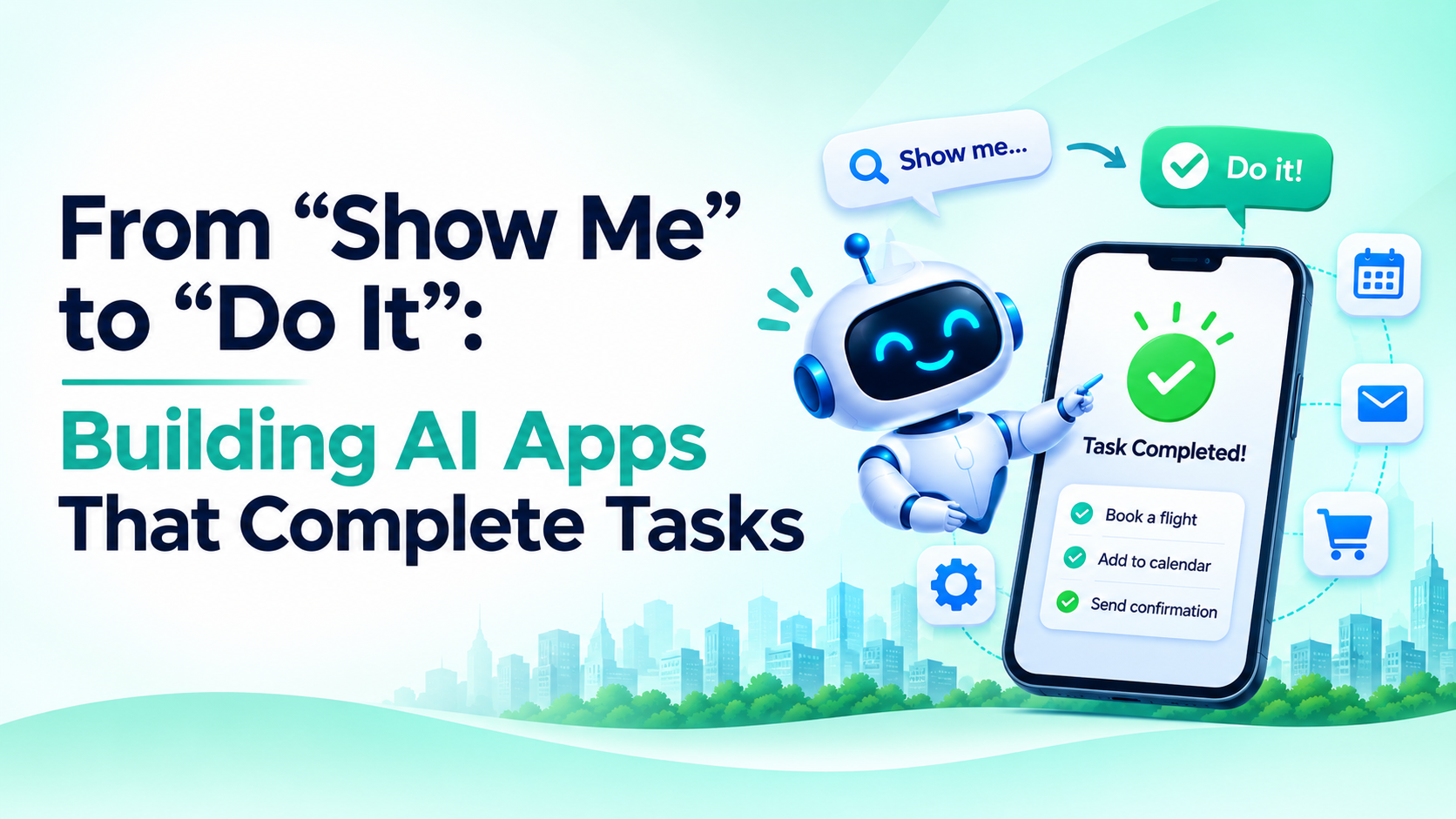
Artificial intelligence is changing the way people interact with digital applications. Traditionally, users depended on applications to search for information, explore options, and complete tasks manually. Even when AI-powered features were available, their primary purpose was often to provide recommendations, generate responses, or guide users through different processes. However, the next phase of AI development is moving beyond simply showing users what to do. It is about building applications that can actually do it. This shift is driving the development of AI-powered applications capable of understanding user intent, planning actions, interacting with connected tools, and completing tasks with minimal manual intervention. Instead of asking an application to display available flights, users may expect an AI assistant to compare options, identify suitable schedules, and prepare a booking. Similarly, a business user may want an AI application to analyze customer information, update records, generate reports, and organize follow-up activities.
This evolution is closely connected to AI agents, agentic AI, workflow automation, and intelligent application development. However, creating an application that can complete tasks requires more than integrating a conversational AI model. Developers must build systems that can interpret instructions, access relevant information, execute actions, manage errors, and maintain appropriate security controls. For businesses, this creates an opportunity to develop more useful digital products that focus on outcomes rather than interactions. Understanding how to build AI apps that complete tasks is becoming an important consideration for organizations preparing for the next generation of intelligent software.
Quick Answer: What Does It Mean to Build AI Apps That Complete Tasks?
Building AI apps that complete tasks means developing applications that go beyond generating answers or displaying recommendations. These applications use AI agents, connected tools, APIs, and workflow automation to understand user instructions and perform supported actions. For example, instead of simply suggesting a meeting time, an AI-powered productivity application could check calendar availability, identify a suitable time, prepare an invitation, and request user approval before sending it. Such applications typically combine large language models (LLMs), agent orchestration, tool integrations, structured data, memory, and security mechanisms. The objective is to transform natural-language instructions into reliable actions while maintaining user control over important decisions. Discover the top AI coding tools for developers in India in 2026.
Key Takeaways
- AI applications are moving beyond information delivery: Modern AI-powered applications are increasingly designed to perform actions rather than simply generate responses.
- AI agents enable task execution: Agents can interpret instructions, plan workflows, use connected tools, and execute supported operations.
- Tool and API integration is essential: Applications need reliable connections to databases, business systems, third-party services, and internal platforms.
- Human oversight remains important: Sensitive or high-impact actions should include appropriate approval and authorization mechanisms.
- Task completion requires strong architecture: Developers must consider orchestration, context management, error handling, security, and monitoring.
- Automation can improve business efficiency: AI applications can reduce repetitive work and help teams manage operational processes.
- User experience must focus on outcomes: Successful AI applications should make task completion simple, transparent, and reliable.
Understanding the Shift from AI Assistants to Action-Oriented AI Applications
The traditional approach to AI application development primarily focused on providing information. Users entered questions, and AI systems generated responses based on available context and model capabilities. For example, a customer could ask an AI assistant how to resolve a technical issue and receive a list of troubleshooting steps. Although useful, the user would still need to follow those instructions manually. Action-oriented AI applications introduce another layer of functionality. They can connect AI reasoning with external tools and application services, allowing compatible agents to perform supported operations.
Consider an online shopping application. A conventional AI assistant might recommend products based on a user's requirements. An action-oriented AI application could take the process further by searching the product catalog, checking availability, comparing prices, adding a selected item to the cart, and preparing the checkout process. The difference is significant. The application is no longer limited to explaining how a task can be completed. It can participate directly in completing that task. However, the AI agent should operate within clearly defined permissions. Actions such as placing orders, processing payments, or modifying important account information may require explicit user approval. Is you app ready for AI agents?
How AI Apps Can Move from Showing Information to Completing Tasks
Developing task-oriented AI applications requires several interconnected capabilities. The following components help transform an ordinary AI-powered application into a system capable of executing meaningful workflows. Discover the top AI coding tools for developers in India in 2026.
1. Understanding User Intent
The first requirement is understanding what the user actually wants to accomplish. Users rarely provide perfectly structured instructions. They communicate naturally, often including multiple requirements in a single request. An AI application must identify the individual tasks within this instruction, understand the relevant context, and determine which operations are required. Natural language processing and large language models help interpret these requests and convert them into structured information that the application can process. Accurate intent recognition is essential because misunderstanding a user's requirements can lead to incorrect actions.
2. Breaking Complex Requests into Smaller Tasks
Many real-world activities involve multiple steps rather than a single operation. An AI agent needs to understand how these steps relate to one another and determine an appropriate execution sequence. For example, processing a customer support request might involve:
- Identifying the customer's issue.
- Retrieving relevant account information.
- Checking previous support interactions.
- Finding an appropriate solution.
- Creating a support ticket.
- Preparing a response for the customer.
3. Connecting AI Agents with External Tools and APIs
An AI model cannot independently access every external system or perform every real-world operation. It needs authorized connections to the tools and services responsible for those actions. API integrations allow AI applications to communicate with external platforms and execute supported operations. For example, a business application could integrate with:
- CRM systems for customer information.
- Payment gateways for payment-related operations.
- Calendar APIs for scheduling.
- Email services for communication.
- Inventory systems for stock information.
- Project management tools for task tracking.
- Business databases for retrieving and updating records.
4. Managing Context and Memory
Completing tasks often requires more than understanding a single instruction. Applications may need information from previous interactions, user preferences, ongoing workflows, or connected business systems. Context management helps AI agents maintain relevant information throughout a task. For example, if a user previously selected a preferred meeting duration and calendar, an AI-powered scheduling application may use those preferences when preparing future meetings, subject to available permissions. However, developers must distinguish between temporary task context and information that should be retained for future interactions. They should also establish appropriate data retention and privacy policies.
5. Executing Actions with Appropriate Permissions
Once an AI agent understands the request and identifies the required tools, it can initiate the supported operations. However, action execution must follow predefined authorization rules. For example, an AI-powered finance application might retrieve transaction information automatically when authorized, but transferring funds should require additional verification and user approval. Developers should classify actions according to their potential impact and establish suitable safeguards. This ensures that automation remains useful without giving AI agents unrestricted access to sensitive systems.
6. Verifying Results and Handling Errors
A task should not be considered complete simply because an AI agent has attempted an action. The application must verify whether the requested operation was successfully executed. For instance, if an AI agent attempts to schedule a meeting, it should confirm that the calendar service accepted the event before informing the user that the meeting has been scheduled. Developers should also implement mechanisms for handling:
- Invalid inputs.
- API failures.
- Network interruptions.
- Permission restrictions.
- Incomplete information.
- Duplicate operations.
- Unexpected execution results.
Key Technologies Behind AI Applications That Complete Tasks
Several technologies work together to support action-oriented AI application development. Discover the 10 best AI agent frameworks for developers globally in 2026.
1. Large Language Models (LLMs)
Large language models help applications understand natural-language instructions, interpret context, generate structured outputs, and determine appropriate next steps. They provide the reasoning and language capabilities required for many AI-agent workflows.
2. AI Agents and Agent Orchestration
AI agents connect language-model capabilities with tools, data sources, and application functions. Agent orchestration coordinates how different operations are selected, executed, and monitored. This is particularly useful when a task involves multiple steps or external services.
3. Function Calling and Tool Integration
Function calling allows an AI model to identify and request structured operations exposed by an application. For example, an application may provide functions such as:
- SearchProducts()
- CheckAvailability()
- CreateAppointment()
- UpdateCustomerRecord()
- GenerateReport()
4. Model Context Protocol (MCP)
Model Context Protocol (MCP) provides a standardized approach for connecting AI applications with external tools, resources, and services. It can simplify tool discovery and integration by providing a common communication structure between compatible AI systems and connected capabilities. For businesses building AI applications, MCP can be useful when designing more flexible integrations across different tools and platforms.
5. Backend Services and Databases
The backend manages business logic, application data, authentication, permissions, and communication with external systems. A well-designed backend ensures that AI agents cannot bypass important business rules when performing operations.
6. Workflow Automation Platforms
Workflow automation platforms help developers connect services and organize repetitive operations. They can support processes such as lead management, notifications, report generation, customer follow-ups, and data synchronization. Combining automation workflows with AI agents can create more adaptable business applications.
Major Benefits of Building AI Apps That Complete Tasks
Moving from information-based AI features to task-oriented applications can create meaningful advantages for businesses and users. One AI Model or Many? How to Choose Models for Different App Tasks Discover how to choose between single-model and multi-model AI architectures for application development.
1. Reduced Manual Work
One of the biggest benefits is the ability to automate repetitive activities. Instead of manually navigating different systems, users can provide instructions and allow an AI application to execute supported operations. This can reduce administrative work and free employees to focus on activities that require human judgment.
2. Improved Productivity
AI applications can coordinate multiple operations within a single workflow. For example, an AI-powered business assistant could retrieve customer details, summarize recent interactions, prepare a follow-up email, and create a reminder. By reducing unnecessary switching between applications, businesses can improve operational productivity.
3. Better User Experience
Users increasingly expect digital products to understand their requirements and simplify complex processes. Task-oriented AI applications provide a more direct interaction model. Instead of learning multiple menus and workflows, users can communicate their objectives through natural language. This can make applications easier to use, particularly when handling multi-step activities.
4. Faster Business Operations
Automating repetitive workflows can reduce the time required to complete routine business processes. For example, an AI-powered customer support application can classify incoming requests, retrieve relevant information, and prepare responses for human review. This can help teams manage larger workloads more efficiently.
5. Greater Personalization
AI applications can use relevant context and authorized user preferences to adapt their responses and actions. For example, a productivity assistant could consider preferred working hours, existing appointments, and task priorities when suggesting a daily schedule. Personalization can make automated workflows more relevant and useful.
6. Improved Integration Across Business Systems
Businesses often use multiple platforms to manage different operations. AI agents can help coordinate supported actions across connected systems, reducing the need for employees to transfer information manually. This creates opportunities for more connected and efficient digital operations.
7. New Opportunities for Digital Products
Task-oriented AI capabilities can support new product experiences and business models. Organizations can develop intelligent assistants, automated service platforms, AI-powered productivity tools, and industry-specific applications that deliver measurable outcomes rather than simply providing information.
Practical Use Cases of Task-Oriented AI Applications Across Industries
AI applications that complete tasks can support a wide range of industries. Their capabilities depend on available integrations, data access, business rules, and authorization requirements. Fixnhour can also help businesses discover technology companies and service providers when looking for teams to support AI agent development and implementation.
|
|
|
|---|---|
|
|
|
|
|
|
|
|
|
|
|
|
|
|
|
|
|
|
|
|
|
|
|
|
|
|
|
|
|
|
How to Build an AI App That Actually Completes Tasks
Developing a reliable task-oriented AI application requires a structured approach. Businesses should focus on building a strong technical foundation before introducing advanced automation.
Step 1: Identify the Problem You Want to Solve
Start by identifying a specific user problem or business process that can benefit from AI-driven task execution. Avoid adding AI capabilities simply because they are becoming popular. Instead, focus on repetitive activities, time-consuming workflows, and tasks that involve multiple systems.
Step 2: Select the Right AI Model
Choose an AI model based on the application's requirements, including reasoning capabilities, response quality, latency, cost, context handling, and integration support. The selected model should be appropriate for the complexity of the tasks it needs to support.
Step 3: Design the Agent Workflow
Define how the application will interpret instructions, identify required operations, select tools, and manage execution. Break complex workflows into smaller steps with clear inputs, outputs, and completion conditions.
Step 4: Integrate APIs and External Tools
Connect the AI application with the services required to complete its intended tasks. Implement structured function definitions and ensure that each integration follows appropriate authentication and authorization requirements.
Step 5: Build Security and Human Approval Mechanisms
Establish clear rules for what the AI agent can perform independently and which actions require user approval. Sensitive operations should include suitable confirmation, access restrictions, and audit mechanisms.
Step 6: Test Task Execution
Test the application using realistic user instructions and different execution scenarios. Evaluate whether the agent can understand requests, select appropriate tools, execute operations, and report accurate results. Testing should also cover failed requests, incomplete inputs, unexpected responses, and unauthorized actions.
Step 7: Monitor and Optimize Performance
After deployment, monitor execution success rates, response times, API reliability, error frequency, and user feedback. Use these insights to improve the agent's instructions, tool definitions, workflows, and overall application experience.
Key Considerations Before Developing Task-Oriented AI Applications
Although AI agents introduce exciting opportunities, businesses must address several important considerations before implementing them.
1. Security and Data Privacy
AI applications may interact with sensitive customer information, business records, and financial data. Developers must establish appropriate access controls, encryption, authentication, and data handling policies.
2. Human Oversight
Not every action should be fully automated. Payments, account modifications, confidential communications, and other high-impact operations may require human review or explicit confirmation.
3. API Reliability
An AI agent depends on connected services to complete tasks. Unavailable APIs, inconsistent responses, and service interruptions can affect workflow execution.
Developers should implement retries, timeouts, fallback mechanisms, and appropriate error handling.
4. Cost and Performance Management
AI model usage, API calls, infrastructure, and workflow execution can increase operational costs.
Development teams should monitor resource consumption and optimize workflows to balance performance and affordability.
5. Accuracy and Reliability
AI models can misunderstand instructions or select inappropriate operations. Structured function definitions, input validation, execution checks, and controlled permissions are essential for reducing these risks.
6. Scalability
As application usage increases, backend services and external integrations must support additional requests without affecting performance. Scalable architecture and efficient resource management should be considered from the beginning.
Challenges in Building AI Apps That Complete Tasks
Despite their potential, task-oriented AI applications introduce challenges that developers must address.
Complex Workflow Management: Multi-step operations require careful coordination, particularly when several external services are involved.
Unpredictable AI Responses: AI models may interpret ambiguous instructions differently, making validation and structured outputs important.
Integration Complexity: Connecting multiple platforms requires compatible APIs, authentication mechanisms, and consistent data handling.
Permission Management: Developers must prevent agents from accessing or modifying information beyond their authorized scope.
Failure Recovery: Applications need reliable mechanisms to identify unsuccessful actions and recover without creating duplicate operations.
User Trust: Users need transparency about what an AI agent is doing, which information it accesses, and whether an operation has actually been completed.
Addressing these challenges helps businesses develop AI applications that are practical, secure, and dependable.
What Makes an AI Application Truly Task-Oriented?
An AI application should not be considered task-oriented simply because it includes a chatbot or generates intelligent responses. Its actual capability depends on whether it can translate user intent into successful and verifiable outcomes. Before launching an AI-powered application, development teams should evaluate the following questions:
- Can the application understand natural-language instructions accurately?
- Can it break complex requests into manageable steps?
- Can it access the tools and APIs required for execution?
- Are its functions structured and clearly defined?
- Can it maintain relevant context throughout a workflow?
- Are sensitive operations protected by suitable permissions?
- Does it request approval when necessary?
- Can it identify failed operations and recover appropriately?
- Does it verify task completion before reporting success?
- Can its performance and execution history be monitored?
Conclusion
The evolution of artificial intelligence is creating a new direction for application development. Users no longer want digital products that simply display information or suggest what should happen next. They increasingly expect applications to understand their requirements, coordinate the necessary operations, and help complete tasks efficiently. Building AI apps that move from "Show Me" to "Do It" requires more than integrating a language model. It involves combining AI agents, structured tool integrations, backend services, context management, workflow orchestration, and security mechanisms into a reliable application architecture. For businesses, this shift creates opportunities to reduce repetitive work, improve productivity, deliver more personalized experiences, and develop intelligent digital products. However, successful implementation depends on maintaining control, verifying actions, and ensuring that automation operates within clearly defined permissions.
The future of AI application development will not be measured only by how intelligently an application responds. It will increasingly depend on how effectively it helps users achieve real outcomes. Businesses that focus on reliable task execution, meaningful automation, and user trust can build applications that deliver value beyond conversation. Looking to build an intelligent, task-oriented digital product? Connect with trusted technology and AI development companies through Fixnhour to explore the right development expertise for your project. Connect with our experts
Frequently Asked Questions (FAQs)
Q1. What are AI apps that complete tasks?
Ans. AI apps that complete tasks are applications designed to understand user instructions and perform supported actions using AI agents, APIs, external tools, and workflow automation. They go beyond generating responses by helping users complete practical activities.
Q2. How are task-oriented AI applications different from traditional AI chatbots?
Ans. Traditional AI chatbots primarily focus on answering questions and generating information. Task-oriented AI applications can also interact with connected tools, execute authorized operations, manage workflows, and verify task completion.
Q3. What technologies are required to build AI apps that perform tasks?
Ans. Key technologies include large language models (LLMs), AI agents, agent orchestration frameworks, API integrations, function calling, Model Context Protocol (MCP), backend services, databases, and workflow automation tools.
Q4. What is the role of AI agents in task automation?
Ans. AI agents interpret user instructions, identify required actions, select appropriate tools, and coordinate multi-step workflows. They help applications transform natural-language requests into executable operations.
Q5. Can AI applications complete tasks without human intervention?
Ans. Yes, AI applications can independently execute certain predefined and authorized tasks. However, sensitive or high-impact operations should include suitable human approval and verification mechanisms.
Q6. How does Model Context Protocol help AI applications?
Ans. Model Context Protocol provides a standardized approach for connecting compatible AI applications with external tools, resources, and services. It can simplify how AI systems discover and interact with supported capabilities.
Q7. Which industries can benefit from task-oriented AI applications?
Ans. E-commerce, banking, healthcare, education, travel, logistics, marketing, real estate, and customer support can benefit from task-oriented AI applications through workflow automation and intelligent service delivery.
Q8. What are the major benefits of building AI applications that complete tasks?
Ans. Major benefits include reduced manual work, improved productivity, faster business operations, better user experiences, personalized services, improved system integration, and new digital product opportunities.
Q9. What security measures are important for AI-powered task execution?
Ans. Important security measures include authentication, authorization, role-based access control, encryption, input validation, audit logging, data privacy controls, and human approval for sensitive operations.
Q10. How can businesses start developing task-oriented AI applications?
Ans. Businesses should identify suitable automation opportunities, select an appropriate AI model, design agent workflows, integrate external tools and APIs, implement security controls, test task execution, and continuously monitor application performance