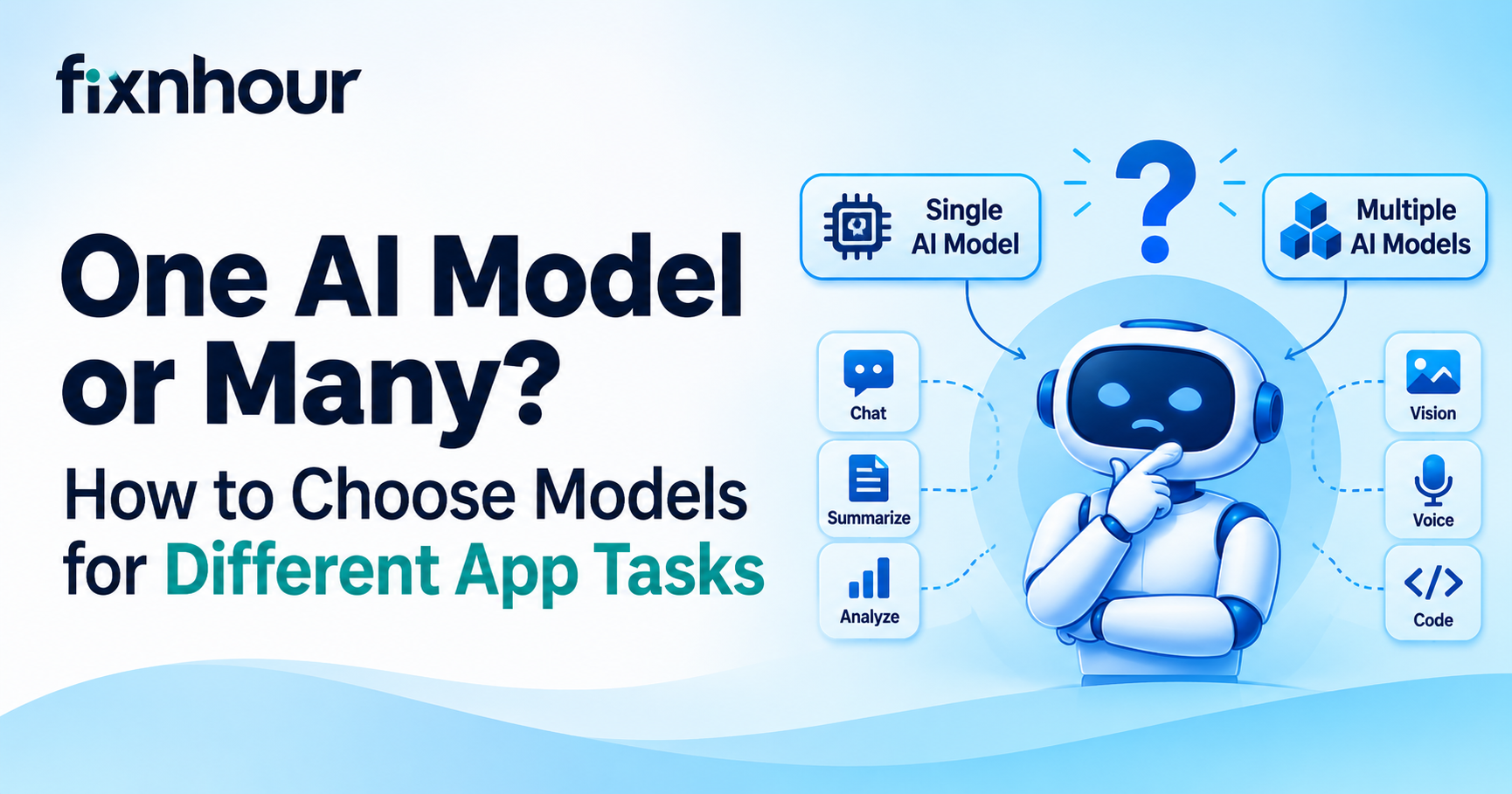
Artificial intelligence is becoming an essential part of modern application development. From intelligent chatbots and personalized recommendations to automated workflows and predictive analytics, businesses are increasingly integrating AI capabilities into their digital products. However, as applications become more advanced, developers face an important architectural decision: should they use one AI model for everything or combine multiple models to handle different tasks? At first glance, using a single AI model may seem like the simplest approach. It reduces integration complexity, makes application management easier, and provides a consistent development environment. However, not every application task requires the same level of intelligence, speed, or processing capability. A model that performs exceptionally well at complex reasoning may be unnecessarily expensive or slow for basic classification, text extraction, or simple customer queries.
This is where a multi-model AI architecture becomes valuable. Instead of depending on one model for every operation, developers can select different AI models based on the requirements of individual tasks. A lightweight model can handle routine requests, a more capable model can manage complex reasoning, and specialized models can process images, audio, or other types of data. For businesses, choosing the right AI model architecture can directly influence application performance, development costs, scalability, and user experience. Understanding when to use one model and when to combine multiple models is therefore an important part of building efficient AI-powered applications.
Quick Answer: Should You Use One AI Model or Multiple Models?
The choice between a single AI model and multiple AI models depends on the application's complexity, performance requirements, budget, and range of tasks. A single-model architecture is generally suitable for applications with predictable workflows, limited AI functionality, and similar processing requirements. A multi-model architecture is more appropriate when an application handles different tasks that require varying levels of reasoning, speed, accuracy, or specialized capabilities. For example, an AI-powered business application could use a lightweight model for classifying customer queries, a larger language model for complex responses, and a vision model for analyzing uploaded images. The best approach is not necessarily to use more models. It is to select the right model for each task while maintaining a reliable, secure, and cost-effective application architecture. Choose the right hiring model between freelance developers, dedicated developers, in-house teams, and a professional mobile app development company.
Key Takeaways
- One model is not always enough: Different application tasks may require different AI capabilities, processing speeds, and levels of accuracy.
- Single-model architecture simplifies development: Using one model can reduce integration complexity and make maintenance easier.
- Multi-model architecture improves flexibility: Developers can assign specialized models to specific application functions.
- Task-based model selection matters: Classification, summarization, reasoning, image recognition, and coding may require different model capabilities.
- Cost optimization is important: Smaller models can handle simpler tasks, while more capable models can be reserved for complex operations.
- AI model routing improves efficiency: Applications can automatically direct requests to suitable models based on predefined rules or task requirements.
- Testing should guide model selection: Developers should compare accuracy, latency, reliability, and cost before choosing an architecture.
Understanding Single-Model and Multi-Model AI Architectures
Before selecting an approach, developers should understand how single-model and multi-model architectures work. Successful startup business models explain how companies create value, earn revenue, manage costs, and grow sustainably.
1. What Is a Single-Model AI Architecture?
A single-model AI architecture uses one primary AI model to handle multiple application tasks. Instead of integrating different models for individual operations, the application sends requests to the same model through a centralized integration. For example, an AI-powered customer support application might use one language model to:
- Answer customer questions.
- Summarize support conversations.
- Classify incoming requests.
- Generate email responses.
- Extract information from text.
- Assist support representatives.
2. What Is a Multi-Model AI Architecture?
A multi-model AI architecture uses two or more AI models within the same application. Each model is selected according to its strengths, allowing developers to distribute different tasks across suitable AI systems. For example, an intelligent business application could use:
- A smaller language model for basic customer queries.
- A powerful reasoning model for complex problem-solving.
- An embedding model for semantic search.
- A vision model for analyzing uploaded images.
- A speech model for voice recognition or audio processing.
One AI Model vs. Multiple AI Models: Key Differences
Both architectures have advantages, and the right choice depends on the application being developed.
|
|
|
|
|---|---|---|
|
|
|
|
|
|
|
|
|
|
|
|
|
|
|
|
|
|
|
|
|
|
|
|
|
|
|
|
|
|
|
|
How to Choose the Right AI Model for Different Application Tasks
The most important part of AI architecture planning is understanding that different tasks have different technical requirements. A model selected for one operation may not be the most suitable choice for another. Developers should evaluate each application function separately.
1. Text Generation and Content Creation
Applications that generate blog posts, product descriptions, marketing messages, or email responses require strong language generation capabilities. A general-purpose language model can handle these tasks by understanding prompts, maintaining context, and generating relevant content. For simple content suggestions, a smaller model may be sufficient. However, long-form content, detailed instructions, and complex writing requirements may benefit from more capable models.
2. Customer Support and Chatbots
Customer support applications need to understand user questions, retrieve relevant information, and generate appropriate responses. A smaller language model can manage frequently asked questions and routine customer interactions. More capable models can handle complicated requests that involve multiple conditions or detailed explanations. Developers can also connect AI models with knowledge bases and customer relationship management systems to provide context-aware support.
3. Data Extraction and Classification
Tasks such as identifying customer details, categorizing support tickets, extracting invoice information, and sorting documents often follow predictable patterns. Smaller models or specialized extraction models may be sufficient for these operations, depending on the complexity and accuracy requirements. Using a large reasoning model for every basic classification request may increase costs without delivering meaningful improvements.
4. Complex Reasoning and Decision Support
Some applications require AI systems to interpret multiple conditions, analyze information, compare alternatives, and generate structured recommendations. For example, a business intelligence application may need to analyze sales information, identify performance changes, and explain possible reasons behind those changes. More capable reasoning models are often appropriate for these tasks because they can handle complex instructions and multi-step analysis more effectively. However, important business decisions should still be supported by validated data, explicit business rules, and appropriate human oversight.
5. Image and Visual Recognition
Applications that process photographs, scanned documents, product images, or visual content may require vision-capable AI models. For example, an e-commerce application could use an image recognition model to identify product characteristics, while a document management platform could analyze scanned documents and extract relevant information. A text-only model may not be sufficient for these requirements unless it is connected to an appropriate vision-processing system.
6. Voice Recognition and Audio Processing
Voice-enabled applications require capabilities such as speech recognition, transcription, audio understanding, and speech generation. Developers may integrate separate speech-to-text, language, and text-to-speech models to create a complete voice interaction experience. For example, an AI-powered meeting assistant could convert audio into text, summarize the discussion, identify action items, and generate follow-up notes.
7. Code Generation and Programming Assistance
Developer-focused applications often require models capable of understanding programming languages, analyzing code, identifying errors, and suggesting improvements. A coding-capable model can assist with code generation, debugging, documentation, and software development workflows. For more advanced applications, developers may combine code-focused models with general-purpose reasoning models and static analysis tools.
Key Factors to Consider When Selecting AI Models
Choosing an AI model should involve more than comparing model popularity or benchmark scores. Developers need to evaluate how well each model performs within the actual application environment.
1. Task Complexity
Start by understanding what the application needs the model to accomplish. Simple classification and text extraction tasks may not require advanced reasoning capabilities. Complex planning, contextual analysis, and multi-step problem-solving may require more capable models. Matching model capability with task complexity helps avoid unnecessary processing costs.
2. Accuracy and Output Quality
Different models may produce different results even when given the same instructions. Developers should test candidate models using realistic application data and evaluate their accuracy, consistency, relevance, and ability to follow instructions. For business-critical operations, outputs should also be validated against trusted data sources and predefined rules.
3. Response Time and Latency
Application users expect fast and responsive interactions. A highly capable model may introduce additional processing time, particularly when handling complex requests. For real-time interactions, developers should consider lightweight models, efficient prompting, caching, and optimized routing strategies.
4. Development and Operational Costs
AI model costs can vary based on input tokens, output tokens, processing requirements, hosting infrastructure, and usage volume. A multi-model architecture can reduce costs when simpler models handle routine operations and more expensive models are reserved for demanding tasks. However, additional integrations, infrastructure, and monitoring can also increase overall operational expenses.
5. Integration Compatibility
Developers should evaluate whether the selected models support the required APIs, SDKs, deployment environments, data formats, and application frameworks. Compatibility is especially important when combining models from different providers or deploying models in private infrastructure.
6. Data Privacy and Security
AI applications may process personal information, customer records, financial details, and confidential business data. Before selecting a model provider, development teams should review data handling practices, access controls, retention policies, encryption, and applicable compliance requirements. For sensitive workflows, organizations may prefer models deployed within controlled environments.
7. Scalability and Reliability
The selected architecture should support increasing application usage without creating unnecessary performance bottlenecks. Developers should evaluate rate limits, availability, concurrent requests, fallback mechanisms, and infrastructure requirements before making a long-term decision.
Major Benefits of Using Multiple AI Models in One Application
A multi-model architecture can provide several advantages when an application supports diverse AI-powered features.
1. Better Task-Specific Performance
Different models can be selected for the operations they handle best. This allows developers to optimize individual application functions rather than depending on one model for everything.
2. Improved Cost Efficiency
Smaller models can process routine requests, while more capable models handle complex operations. This approach can help reduce unnecessary usage of expensive AI services, particularly in applications with high request volumes.
3. Greater Application Flexibility
Developers can introduce new AI capabilities without redesigning the entire application around a single model. For example, a business application can add image analysis, voice interaction, or specialized document processing through additional model integrations.
4. Better Scalability
Different workloads can be distributed across suitable models and services. This makes it easier to optimize resource allocation according to application demand and processing requirements.
5. Reduced Dependency on One Provider
A carefully designed multi-model architecture can support models from different providers. This can reduce dependency on a single AI service and provide alternatives when pricing, availability, or technical requirements change.
6. Improved User Experience
By selecting models according to task requirements, developers can improve response speed, output relevance, and overall application responsiveness. Users can benefit from more specialized AI experiences without needing to understand which model operates behind each feature.
What Is AI Model Routing and Why Does It Matter?
AI model routing is the process of directing incoming requests to the most suitable AI model based on the task, complexity, performance requirements, or predefined application rules. It is an important component of many multi-model AI architectures. For example, consider an AI-powered business assistant that receives three different requests:
- "Summarize this email." The application routes the request to a lightweight language model.
- "Analyze this financial report and explain the major risks." The request goes to a more capable reasoning model.
- "Extract information from this product image." The application routes the request to a vision-capable model.
How to Implement a Multi-Model AI Architecture
Building an application that uses multiple AI models requires careful planning and integration. From “Show Me” to “Do It”: Building AI Apps That Complete Tasks.Discover how AI applications are evolving from providing information to completing tasks.
Step 1: Identify Application Tasks
Begin by listing all the AI-powered operations your application needs to perform. Separate them into categories such as text generation, classification, reasoning, image processing, voice interaction, and data extraction.
Step 2: Define Requirements for Each Task
Determine the expected accuracy, response time, context requirements, security level, and processing volume for every task. These requirements will help narrow down suitable model options.
Step 3: Evaluate and Compare AI Models
Test different models using realistic examples from your application. Compare their output quality, latency, cost, integration requirements, and reliability rather than relying only on general benchmark results.
Step 4: Design the Model Routing System
Develop a routing mechanism that identifies incoming requests and directs them to appropriate models. For simple applications, predefined rules may be sufficient. More complex systems may use an additional classifier or intelligent routing component.
Step 5: Integrate Models Through a Unified Backend
Create a centralized backend layer to manage model requests, authentication, API communication, response formatting, and error handling. A unified interface can make it easier to replace models or introduce new providers without changing the entire application.
Step 6: Implement Security and Fallback Mechanisms
Establish access restrictions, data protection measures, and validation rules for every model integration.
If one model becomes unavailable or fails to process a request, the application should have an appropriate fallback strategy where possible.
Step 7: Test and Monitor Performance
Monitor model accuracy, response times, token consumption, execution costs, and failure rates. Regular evaluation helps developers identify inefficient routing decisions and determine when a model should be replaced or updated.
Challenges of Using Multiple AI Models
Although multi-model architectures provide flexibility, they also introduce technical and operational challenges.
Integration Complexity: Connecting different models may require managing separate APIs, SDKs, authentication systems, and response formats.
Model Selection: Choosing the correct model for each task requires continuous evaluation and testing.
Higher Maintenance Requirements: Multiple model integrations increase the effort required for monitoring, version management, and troubleshooting.
Latency Management: Routing requests across several services may introduce additional processing delays.
Cost Monitoring: Although multi-model systems can reduce inference costs, additional infrastructure and orchestration may increase total expenses.
Data Consistency: Different models may interpret or generate information differently, making output validation important.
Security and Privacy: Each model integration introduces data access and processing considerations that must be managed carefully.
Developers should address these challenges during architecture planning rather than waiting until the application reaches production.
Single-Model vs. Multi-Model: Which Approach Should Your Business Choose?
There is no universal architecture that works for every application. The right approach depends on business objectives, technical requirements, and available resources. Is you app ready for AI agents?
A single-model approach is generally suitable when:
- The application performs a limited number of similar AI tasks.
- Development simplicity is a priority.
- The selected model meets the required accuracy and performance standards.
- The application has predictable usage patterns.
- Managing multiple integrations would introduce unnecessary complexity.
A multi-model approach is generally suitable when:
- The application supports several different AI capabilities.
- Tasks require different levels of reasoning or specialized processing.
- Cost optimization across different workloads is important.
- The application needs text, image, audio, or other AI capabilities.
- Developers require flexibility across multiple model providers.
Conclusion
Choosing between one AI model and multiple AI models is an important decision in modern application development. While a single-model architecture offers simplicity and easier maintenance, a multi-model approach provides greater flexibility for applications that support different types of AI-powered operations. The most effective strategy is to evaluate each application task independently and select models according to their capabilities, accuracy, speed, cost, and integration requirements. With an effective routing system, developers can combine lightweight models for routine operations with specialized or more capable models for demanding tasks.
For businesses, this approach can create opportunities to improve application performance, optimize AI spending, and build more adaptable digital products. However, successful implementation requires proper testing, security controls, monitoring, and ongoing optimization. Ultimately, the question is not whether one AI model is better than many. It is whether the chosen architecture provides the right capabilities for every task without creating unnecessary cost or complexity. Businesses that make thoughtful model selection decisions can build AI-powered applications that are more efficient, scalable, and ready for evolving user expectations. Looking to develop an AI-powered application with the right model architecture? Explore trusted technology and AI development companies through Fixnhour to find the expertise needed to turn your application idea into a scalable digital product.
Frequently Asked Questions (FAQs)
Q1. Should an application use one AI model or multiple AI models?
Ans. The choice depends on application requirements. A single model is suitable for applications with similar AI tasks and straightforward workflows, while multiple models are useful when different operations require specialized capabilities, varying performance levels, or different processing methods.
Q2. What is a multi-model AI architecture?
Ans. A multi-model AI architecture uses multiple AI models within one application. Each model is assigned specific tasks based on its capabilities, allowing developers to combine language processing, reasoning, image recognition, speech processing, and other AI functions.
Q3. What is AI model routing?
Ans. AI model routing is the process of directing application requests to suitable AI models based on task requirements, complexity, cost, latency, or predefined rules. It helps applications use the most appropriate model for individual operations.
Q4. Can multiple AI models work together in one application?
Ans. Yes. Multiple AI models can work together through a shared backend or orchestration layer. For example, one model can classify a request, another can generate a detailed response, and a third can analyze an uploaded image.
Q5. Which AI model is best for simple application tasks?
Ans. Smaller language models or specialized models can be suitable for simple tasks such as classification, basic summarization, text extraction, and routine customer queries. The best choice depends on the required accuracy, response time, and processing conditions.
Q6. How does using multiple AI models reduce application costs?
Ans. Multiple AI models can reduce costs by assigning simpler requests to smaller, less expensive models and reserving more capable models for complex operations. However, developers should also consider integration, hosting, and orchestration expenses.
Q7. What is the difference between a single-model and multi-model architecture?
Ans. A single-model architecture relies on one primary model for application AI operations, making development and maintenance relatively straightforward. A multi-model architecture combines different models to support specialized tasks, providing greater flexibility but requiring additional integration and monitoring.
Q8. What factors should developers consider when choosing an AI model?
Ans. Developers should evaluate task complexity, accuracy, response time, cost, context handling, integration compatibility, security, scalability, and model reliability before selecting an AI model.
Q9. Can businesses combine AI models from different providers?
Ans. Yes. Businesses can integrate AI models from different providers through APIs and a centralized backend. This approach can provide flexibility, access to specialized capabilities, and alternatives when pricing or service availability changes.
Q10. How can developers optimize AI model performance in an application?
Ans. Developers can optimize AI model performance through task-based model selection, intelligent routing, prompt optimization, caching, structured outputs, response validation, and continuous monitoring of accuracy, latency, and operational costs