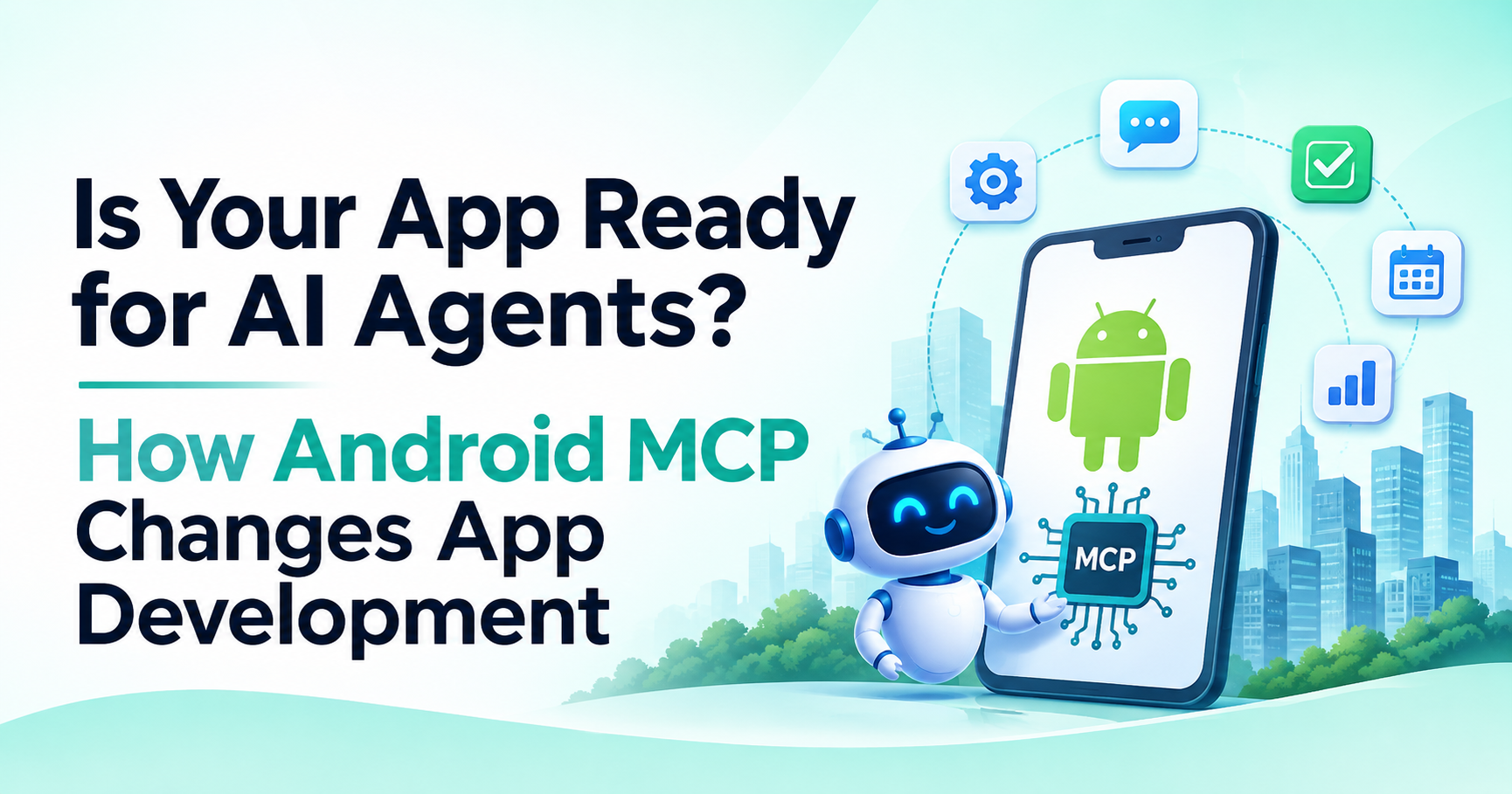
Artificial intelligence is transforming the way users interact with mobile applications. Traditional applications rely on users to navigate interfaces, enter information, and execute individual actions. However, the emergence of AI agents is introducing a more intelligent approach, where applications can understand user intent, access relevant tools, and perform tasks with minimal manual intervention. One of the significant developments supporting this transition is Google's approach to Model Context Protocol (MCP) integration within the Android ecosystem. Through Android's AppFunctions API, developers can expose selected application capabilities as structured functions that compatible AI agents can discover and execute.
This development represents an important shift in mobile application architecture. Instead of designing applications exclusively around screens and user interactions, development teams must increasingly consider how their application functionality can be accessed, interpreted, and utilized by AI agents. For businesses, this creates opportunities to improve user experiences, streamline workflows, and build more adaptable digital products. However, achieving AI-agent readiness requires more than integrating an AI chatbot. It involves evaluating application architecture, defining accessible functions, establishing security controls, and ensuring reliable execution. So, is your Android application ready for the AI-agent era? Understanding Android MCP and its implications for modern app development can help you prepare for this emerging technological landscape.
Quick Answer: What Is Android MCP?
Android MCP refers to the integration of Model Context Protocol concepts within the Android ecosystem, enabling compatible AI agents to interact with supported application capabilities. Google's AppFunctions API provides an Android-specific mechanism through which developers can expose selected application functions to authorized AI agents. These functions describe what an application can do, what information is required, and what results can be returned. For example, an e-commerce application could expose functions for searching products, checking availability, and retrieving order information. An AI agent could use these functions to respond to user requests without requiring users to navigate through multiple application screens. In simple terms, Android MCP-related capabilities help move mobile applications from conventional interface-driven experiences toward more intelligent, action-oriented interactions. AI-powered features can improve personalization, automation, and customer support.
Key Takeaways
- AI agents are redefining mobile application interactions: Applications are evolving from passive tools into platforms capable of supporting intelligent, task-oriented experiences.
- Android MCP enables structured application integration: Google's AppFunctions API allows developers to expose selected application capabilities to compatible AI agents.
- Application architecture needs to evolve: Reusable business logic and clearly defined functions are essential for effective agent integration.
- Security and permissions remain critical: Developers must establish appropriate access controls, authentication, and authorization before exposing application functionality.
- Automation can improve operational efficiency: AI agents can execute supported tasks, reducing repetitive user interactions.
- Agent readiness is becoming a development consideration: Businesses should evaluate their existing applications and prepare their architecture for emerging AI-driven workflows.
Understanding Android MCP and Its Role in Modern App Development
The Model Context Protocol (MCP) is an open standard designed to facilitate communication between AI applications and external tools, services, and data sources. It provides a structured approach for AI systems to discover and interact with external capabilities without requiring every integration to be developed independently. Within Android, Google's AppFunctions API introduces a platform-specific approach to exposing application functionality to compatible agents. Developers can define functions that describe supported operations and make them available through the Android intelligence ecosystem.
Consider a productivity application that allows users to create tasks, update deadlines, and manage reminders. By exposing these capabilities as structured functions, the application can enable an authorized AI agent to perform supported operations based on natural-language instructions. For example, a user could request: "Create a task for tomorrow's client meeting and set a reminder." The AI agent could interpret the request, identify the appropriate application functions, provide the required parameters, and initiate the supported operation. This approach creates an additional interaction layer beyond conventional application interfaces. Discover the top 10+ AI agent development companies in 2026.
How Android MCP Is Changing the App Development Landscape
Android MCP introduces new considerations for developers when designing, building, and maintaining mobile applications. The focus is expanding from interface development to making application capabilities accessible through structured and controlled integrations. From “Show Me” to “Do It”: Building AI Apps That Complete Tasks.Discover how AI applications are evolving from providing information to completing tasks.
1. Transition from Interface-Centric to Function-Centric Development
Traditional mobile application development emphasizes user interfaces, navigation structures, and interactive components. However, AI-agent integration requires developers to think beyond the visual interface. Application capabilities must be organized into independent functions that can be accessed without relying on direct screen interactions. For example, instead of designing a workflow where users manually navigate through an application to create an appointment, developers can expose an appointment-creation function with clearly defined parameters. This separation makes application functionality more reusable and suitable for agent-driven interactions.
2. Greater Emphasis on Structured APIs and Function Definitions
AI agents require structured information to understand and execute application operations. Developers must define functions with clear descriptions, appropriate input parameters, expected outputs, and predictable behavior. For instance, an order-tracking application could expose a function that accepts an order ID and returns the corresponding delivery status. Well-structured functions make it easier for compatible AI agents to identify the appropriate operation and process user requests accurately.
3. Improved Integration Between AI Systems and Mobile Applications
Historically, connecting AI capabilities with individual applications often involved custom APIs and application-specific integrations. Standardized communication approaches can simplify how AI systems discover and interact with supported tools. Android's AppFunctions approach provides a mechanism for exposing application capabilities within the supported Android environment, creating opportunities for more connected mobile experiences.
4. Security-Driven Application Architecture
Making application functionality accessible to AI agents also introduces additional security considerations. Developers must determine which operations can be exposed, which users can access them, and what authorization requirements apply. Sensitive operations involving payments, personal information, account modifications, or confidential business data should receive additional protection. The objective is to enable useful automation without compromising user privacy or application security.
5. A New Approach to Application Testing
Traditional testing focuses on interface behavior, functionality, performance, and compatibility. Agent-ready applications require additional testing to evaluate function discovery, parameter accuracy, execution reliability, error handling, and permission enforcement. Development teams must ensure that AI agents can interact with application functions consistently and that unexpected requests do not result in unintended actions.
Key Considerations Before Making Your App AI-Agent Ready
Preparing an existing Android application for AI-agent integration requires a structured technical assessment. Businesses should evaluate the following areas before beginning implementation. Explore artificial intelligence trends for 2027, including AI agents, generative AI, multimodal models, and automation reshaping business.
1. Identify Functions Suitable for AI-Agent Access
Start by identifying the most frequently used application operations and determining which ones would benefit from AI-driven execution. Not every feature needs to be exposed to AI agents. Prioritize functions that support meaningful user tasks and provide clear operational value. For example, an e-commerce application could prioritize:
- Product discovery and search.
- Product availability checks.
- Order-status retrieval.
- Wishlist management.
- Customer support requests.
2. Evaluate Existing Application Architecture
An application's internal architecture directly affects its ability to support agent integration. If business logic is tightly coupled with interface components, developers may need to restructure the application to make important operations independently accessible. A modular architecture with reusable business logic, well-defined services, and consistent data handling provides a stronger foundation for integration.
3. Implement Android AppFunctions
Google's AppFunctions API provides the Android-specific framework for exposing application functionality to compatible agents. Developers can explore the Jetpack AppFunctions library to define supported functions, their parameters, and their expected behavior. Implementation should follow Google's current documentation, including platform compatibility requirements and available integration capabilities.
4. Establish Authentication and Authorization Controls
Security should be incorporated into the development process from the beginning. Developers should implement appropriate permission management, authentication, authorization, input validation, and access restrictions. Functions involving sensitive data or high-impact operations should require suitable safeguards. Where necessary, applications should request explicit user confirmation before executing important actions.
5. Ensure Data Privacy and Compliance
Applications handling personal, financial, or business information must follow relevant privacy and data protection requirements. Developers should evaluate what information is accessible to AI agents, how data is processed, and whether sensitive information is exposed unnecessarily. Data minimization and controlled access should remain central to the integration strategy.
6. Test Function Execution and Reliability
Before deployment, test the complete interaction between the AI agent and application functions. Important testing areas include:
- Function discovery and availability.
- Input and parameter validation.
- Successful and unsuccessful execution.
- Error handling and recovery.
- Permission enforcement.
- Unauthorized access prevention.
- Performance under different operating conditions.
Major Benefits of Android MCP for Mobile Applications
Integrating AI-agent capabilities into Android applications can create several opportunities for businesses and end users. One AI Model or Many? How to Choose Models for Different App Tasks Discover how to choose between single-model and multi-model AI architectures for application development
1. Enhanced User Experience
AI agents can make application interactions more natural by allowing users to express their requirements through conversational instructions. Instead of navigating multiple screens, users may be able to request specific actions through compatible AI assistants. This can reduce interaction complexity and make digital services more accessible.
2. Improved Workflow Automation
AI agents can execute supported application functions to automate repetitive operations. For example, productivity applications can support task creation, deadline updates, and reminder management through structured functions. This reduces the need for repeated manual interactions and can improve workflow efficiency.
3. Greater Application Accessibility
Exposing selected application capabilities to compatible AI agents creates additional ways for users to interact with digital services. Applications can become accessible through supported assistant experiences rather than depending exclusively on direct application navigation. This can expand how users discover and utilize application features.
4. Better Integration Across Digital Ecosystems
Modern users frequently depend on multiple applications to complete a single task. Structured integrations can help AI agents coordinate supported operations across different services. For example, a travel-related workflow may involve retrieving booking information, checking itinerary details, and accessing relevant travel services. Such integrations can contribute to more connected digital experiences.
5. Improved Developer Flexibility
Separating business logic from user-interface components allows developers to reuse application capabilities across different interaction channels. The same underlying functionality may support conventional application interfaces as well as compatible AI-agent interactions. This can create a more adaptable application architecture and reduce unnecessary duplication of business logic.
6. Opportunities for Business Innovation
AI-agent integration creates opportunities for businesses to explore new application features, service delivery models, and automated customer experiences. Organizations that prepare their mobile platforms for these capabilities can establish a foundation for future AI-driven product development.
Practical Use Cases of Android MCP Across Industries
Android MCP-related capabilities can support different industries where applications provide structured services and repetitive user operations. These use cases demonstrate how applications could support agent-driven interactions. Their actual implementation depends on platform support, application permissions, available functions, and the capabilities of the connected AI agent.
|
|
|
|---|---|
|
|
|
|
|
|
|
|
|
|
|
|
|
|
|
|
|
|
|
|
|
|
|
|
How to Prepare Your Android Application for MCP Integration
A systematic implementation strategy can help development teams introduce AI-agent capabilities without compromising existing application functionality.
Step 1: Conduct an Application Capability Assessment
Evaluate the existing application and identify operations that can provide value through AI-agent interactions. Focus on repetitive workflows, frequently accessed features, and operations that can be executed through clearly defined functions.
Step 2: Define Function Specifications
Document each selected function, including its purpose, required parameters, expected response, and execution conditions. Keep function definitions focused and ensure that their descriptions accurately represent their capabilities.
Step 3: Review and Optimize the Application Architecture
Separate business logic from interface-specific components wherever necessary. Develop reusable services and ensure that application operations can execute independently of traditional screen-based interactions.
Step 4: Integrate the AppFunctions Framework
Explore Google's AppFunctions API and the Jetpack AppFunctions library to implement supported application functions. Review Android version requirements, compatibility considerations, and the latest official implementation guidance.
Step 5: Implement Security and Access Management
Define which operations are accessible to AI agents and establish appropriate authorization requirements. Protect sensitive functions through permission controls, validation mechanisms, and explicit user confirmation where appropriate.
Step 6: Perform Comprehensive Testing
Test function discovery, execution, response accuracy, error handling, and security behavior. Validate both successful and unsuccessful scenarios before making the integration available to users.
Step 7: Monitor and Improve Performance
After implementation, monitor function execution, application reliability, and user experience. Use testing feedback and performance insights to improve function definitions, integration quality, and overall application usability.
Challenges Developers Should Address
Although Android MCP introduces promising opportunities, developers must consider several technical and operational challenges. Addressing these challenges during the planning and development stages can improve integration reliability and reduce potential implementation risks. Fixnhour Helps companies grow with SEO visibility, verified trust, and leads.
Platform Compatibility: AppFunctions capabilities are evolving, and developers must verify supported Android versions, SDK requirements, and integration availability before implementation.
Security Risks: Exposing application operations to AI agents requires carefully designed permissions, authorization, and data protection mechanisms.
Legacy Application Limitations: Older applications may require architectural modifications before their existing functionality can be exposed through structured functions.
Function Execution Accuracy: Poorly defined functions, ambiguous descriptions, and inconsistent responses can affect an AI agent's ability to complete tasks successfully.
Testing Complexity: Agent-driven interactions introduce additional scenarios that conventional mobile application testing may not fully address.
Is Your Application Ready for the AI-Agent Era?
An application is not necessarily AI-agent ready simply because it includes a chatbot, recommendation engine, or generative AI feature. True agent readiness requires the application to provide structured, accessible, and secure functionality that compatible AI agents can understand and execute. Before moving forward, businesses and development teams should evaluate the following questions:
- Can important application operations function independently of the user interface?
- Does the application have reusable business logic and clearly defined services?
- Are its functions documented with structured inputs and predictable outputs?
- Can access to sensitive operations be restricted appropriately?
- Does the application support reliable error handling and input validation?
- Has the development team tested AI-driven function execution?
- Can the existing architecture accommodate future AI integrations?
Conclusion
The evolution of AI agents is creating new possibilities for the Android application development ecosystem. As users increasingly expect applications to understand instructions and perform tasks, developers must rethink how application functionality is designed, accessed, and delivered. Android MCP-related capabilities, supported by Google's AppFunctions API, represent an important step towards more connected and action-oriented mobile experiences. By exposing selected application functions to compatible AI agents, developers can create opportunities for automation, improved accessibility, and more intelligent user interactions.
However, successful integration requires a strong technical foundation. Modular architecture, reusable business logic, structured function definitions, security controls, and comprehensive testing are essential considerations for building agent-ready applications. For businesses, preparing for this transition is not simply about adopting another AI technology. It is about developing mobile applications that can adapt to changing user expectations and emerging intelligent ecosystems. The next generation of mobile applications will be defined not only by the features they offer but also by how effectively they enable AI agents to deliver meaningful outcomes for users. Contact us and Find trusted professionals and verified services with Fixnhour.
Frequently Asked Questions (FAQs)
Q1. What is Android MCP in mobile app development?
Ans. Android MCP refers to the integration of Model Context Protocol concepts within the Android ecosystem, allowing compatible AI agents to discover and interact with supported application functions through structured integrations such as Google's AppFunctions API.
Q2. How does Google's AppFunctions API help AI agents?
Ans. Google's AppFunctions API allows Android developers to expose selected application capabilities as structured functions. Compatible AI agents can discover these functions, provide the required parameters, and execute supported operations.
Q3. How can AI agents interact with Android applications?
Ans. AI agents can interact with supported application functions through natural-language instructions. For example, users can ask an AI agent to create tasks, check order statuses, manage reminders, or retrieve booking information without manually navigating multiple screens.
Q4. Is Android MCP suitable for existing mobile applications?
Ans. Yes. Existing Android applications can prepare for AI-agent integration by evaluating their architecture, separating business logic from interface components, defining reusable functions, and implementing the AppFunctions framework where supported.
Q5. What are the major benefits of making an Android app AI-agent ready?
Ans. The major benefits include improved user experience, workflow automation, greater application accessibility, better integration across digital ecosystems, developer flexibility, and opportunities for business innovation.
Q6. What security measures are required for AI-agent integration in Android apps?
Ans. Developers should implement authentication, authorization, permission management, input validation, data privacy controls, and appropriate restrictions on sensitive operations. Important actions may also require explicit user confirmation.
Q7. Which industries can benefit from Android MCP integration?
Ans. Industries such as e-commerce, banking, healthcare, travel, education, food delivery, productivity, and smart home services can benefit from AI-agent interactions by automating supported tasks and simplifying access to application functions.
Q8. How can developers prepare an Android application for AI agents?
Ans. Developers should assess application capabilities, identify suitable functions, optimize the architecture, integrate Google's AppFunctions API, establish security controls, test function execution, and continuously monitor performance.
Q9. Does adding an AI chatbot make an application AI-agent ready?
Ans. No. An AI chatbot alone does not make an application AI-agent ready. The application must also expose structured, accessible, and secure functions that compatible AI agents can discover and execute.
Q10. What challenges should developers consider when implementing Android MCP?
Ans. Key challenges include platform compatibility, security risks, legacy application limitations, function execution accuracy, and increased testing complexity. Addressing these areas early can improve integration reliability